Comparison

Postal vs Motion

Motion is excellent at auto-scheduling tasks onto a calendar. Postal is a personal AI OS: dump → structure → remember → research → act — including calendar, but not only calendar. Here's the honest split.

Get started free

They answer different questions

Motion's question: "When will I do it?"

Give Motion tasks, deadlines, and priorities, and its scheduler plays calendar tetris for you — placing work into open slots and reshuffling automatically when a meeting lands on your deep-work block. For people whose day is a wall of meetings, this is genuinely valuable, and Motion does it better than anyone.

Postal's question: "Where did it all go?"

The ideas in your chat history, the follow-up you promised, the article you meant to research, the decision you made three weeks ago — Postal exists so that all of it lands in one place, gets organized by AI, stays remembered, and turns into action: a task, a research note, a calendar event. Capture by voice, by chat, by CLI from your coding agents.

Capability by capability

Capability Motion Postal
Auto time-blocking Best-in-class Push tasks to Google Calendar; not a full reschedule engine
Knowledge / notes / research Thin Core — notes, semantic search, background research
Long-term memory No Living memory across conversations and weeks
Morning ritual Schedule view Morning Postal briefing + one-tap focus actions
Brain dump multi-capture Limited First-class dump → confirm, typed or voice
Agent / CLI / filesystem No postal CLI + Markdown files any agent can write
Team scheduling Yes — its focus Personal-first today
Pricing model Per-seat subscription, trial only $20/mo managed or free forever with your own key
Best when… Your #1 problem is calendar chess Your #1 problem is tool sprawl + memory that never acts

The honest recommendation

Pick Motion if…

Your calendar is the battlefield: back-to-back meetings, hard deadlines, and the daily question of where four hours of real work will fit. You want software to fight for your time, and you'll pay a per-seat subscription for it.

Pick Postal if…

Your head is the battlefield: ideas scattered across chats, notes that never resurface, follow-ups held in memory. You want one place that captures everything, remembers context, researches on request, and pushes what matters to your calendar — and you'd like your AI agents to write to it too.

Running both is legitimate — Postal as the brain, Motion as the calendar hands — but most individuals find one tool wins the job once capture and memory actually work. For the broader landscape, see the AI task manager guide.
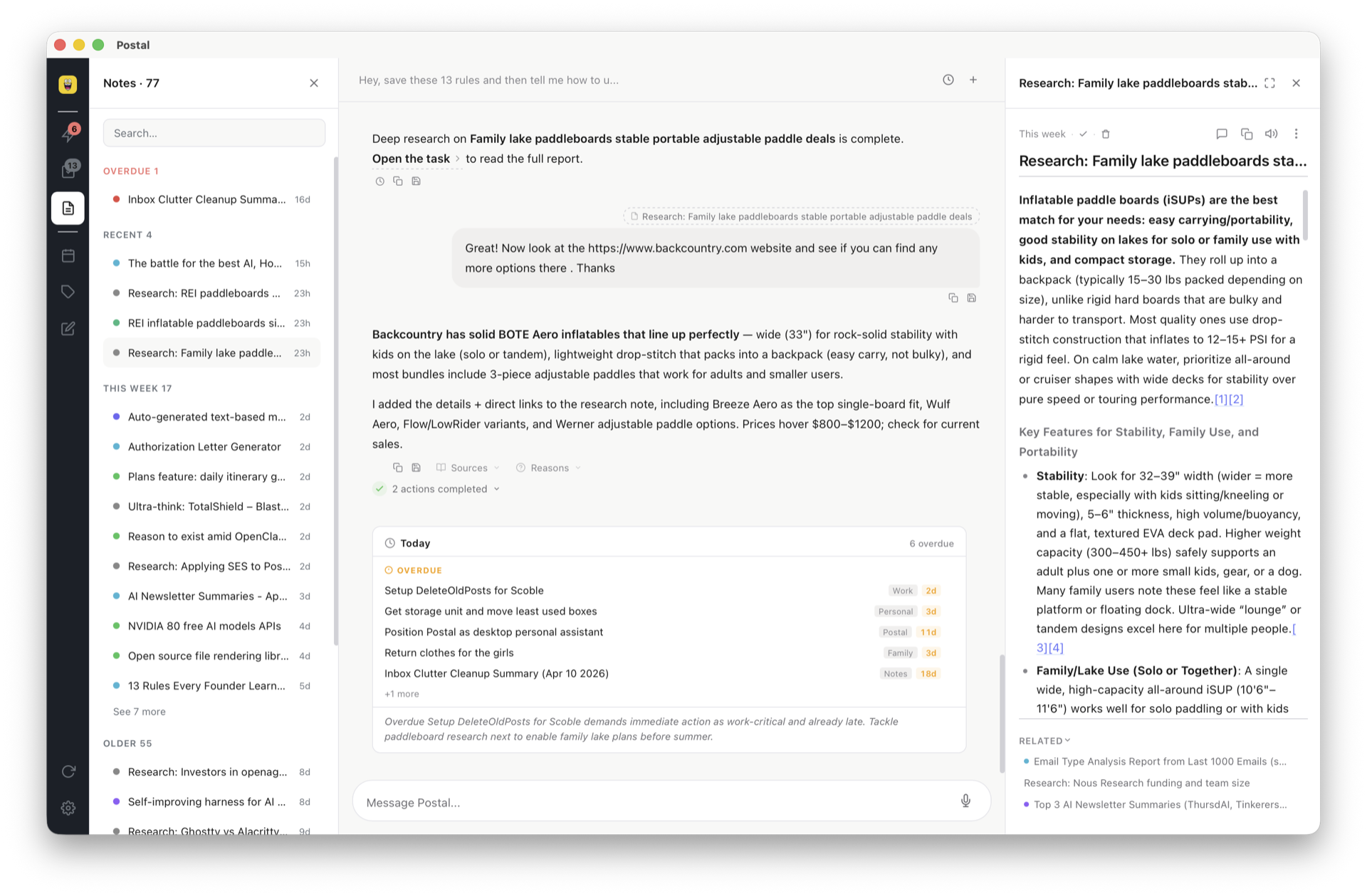
Postal's Morning Postal briefing showing today's tasks and calendar conflicts, next to a task being scheduled onto Google Calendar from chat

Frequently asked questions

What is the difference between Postal and Motion?

Motion is an AI scheduler — it places tasks into calendar slots and reshuffles automatically. Postal is an AI workspace — it captures, organizes, remembers, researches, and pushes what matters to Google Calendar. Motion optimizes your hours; Postal manages what's in your head.

Is there a cheaper alternative to Motion?

Motion is a per-seat subscription with no permanent free tier. Postal is free forever with your own API key — you pay your AI provider at cost — or $20/month for managed AI.

Can Postal auto-schedule my day like Motion?

No — and we won't pretend otherwise. Postal pushes due-dated tasks to Google Calendar and flags conflicts in your morning briefing, but it's not a reschedule engine. If auto time-blocking is your #1 need, Motion is better at that specific job.

Should I use both?

Some do: Postal as the brain, Motion as the calendar hands. Most individuals find one tool wins once capture and memory actually work.

Try the second brain that acts

Free forever with your own key. Or $20/month for managed AI that keeps working while you’re away.

Get started free