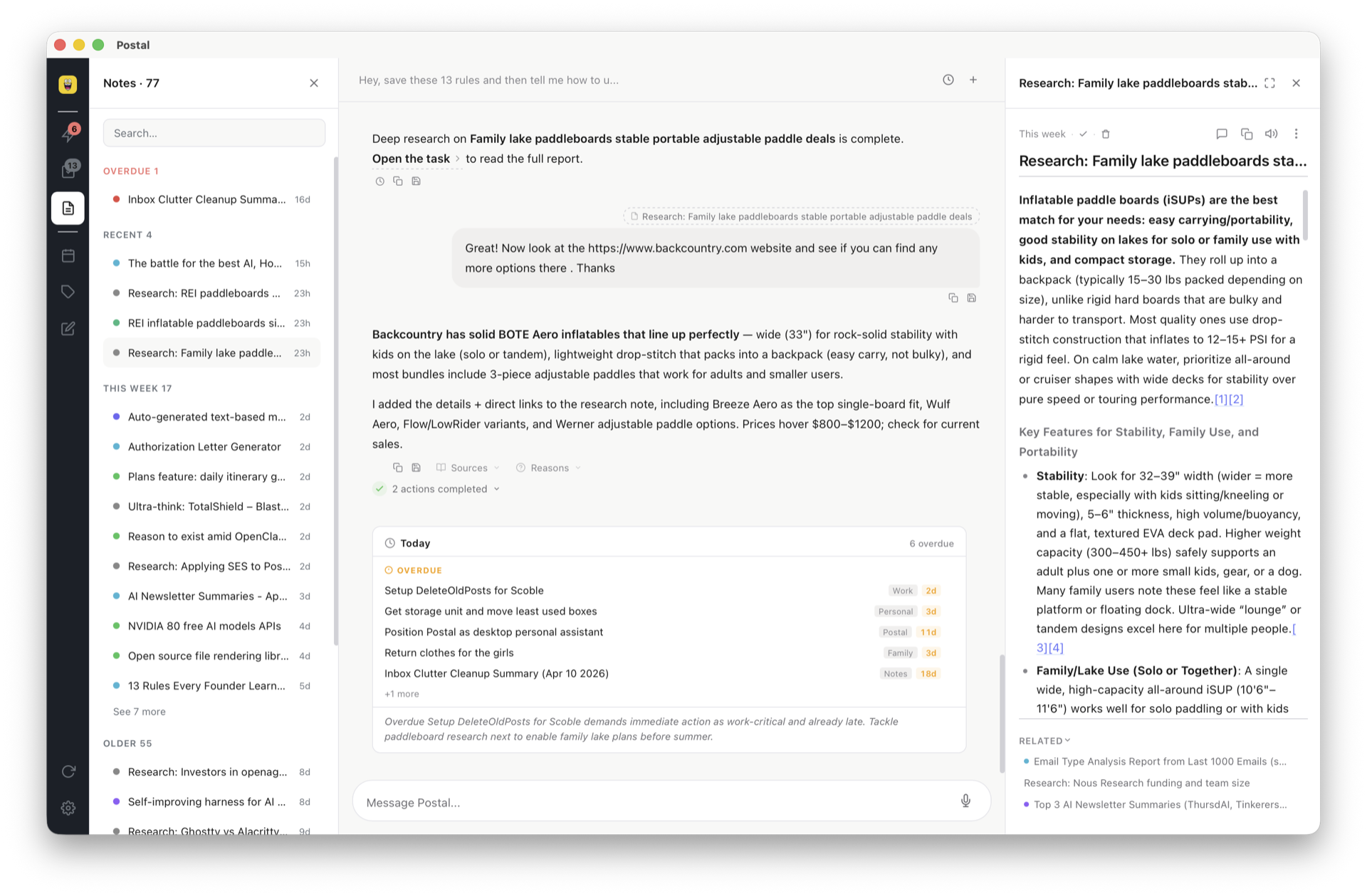
Apple Notes Alternative
Apple Notes locks your data in iCloud. Postal stores notes as plain Markdown files on your machine, keeps them in a clean task list, and gives you a built-in AI agent to help you think.
Apple Notes works fine for quick jots. But when notes pile up, you need structure, search, and a way to turn notes into action. Postal gives you that without giving up simplicity.
Every note is a .md file in a folder
you choose. Open them in VS Code, Obsidian, or any
text editor. They work with git — track changes,
branch, merge, collaborate. They'll be readable in
20 years because they're just text. Apple Notes
locks your data in a proprietary SQLite database
buried inside iCloud. Good luck reading that
outside of Apple's ecosystem.
Each note lives as a task in your list. Add color-coded labels, set due dates, drag to reorder, filter by label, and sort by priority or date. Your notes aren't just stored — they're organized and actionable. In Apple Notes, a note sits in a folder forever. In Postal, it moves through a workflow.
Say "research X" and Postal creates a note with findings from the web. The AI surfaces your own past notes when they're relevant — active recall, not just search. Get daily briefings that summarize what's due and what needs attention. Use voice input to capture thoughts hands-free. Set up web monitoring to track topics over time. It all works right inside the app — no copy-pasting into ChatGPT.
A side-by-side look at what you get when you switch.
Apple Notes stores data in a SQLite database hidden
inside iCloud. Exporting is painful — you get
stripped-down text or PDFs, not the original formatting.
Postal uses plain .md files. Open them in
VS Code, Obsidian, iA Writer, or any text editor. Check
them into git. Grep them from the terminal. They're
human-readable text that will work in 20 years —
no app required to read your own notes.
Apple Notes offers basic text search across your notes. Postal gives you AI-powered semantic search — ask a question in natural language and the AI finds relevant notes even if they don't contain the exact words. Your notes are also plain files, so standard tools like grep and Spotlight work too.
Apple Notes gives you folders. That's it. Postal gives you a clean task list with color-coded labels, drag-and-drop ordering, and a task lifecycle. Filter by label, sort by due date, and move notes from "to do" to "done" instead of just filing them away.
Apple Notes requires iCloud for sync, locking you into Apple's ecosystem. Postal stores everything on your local filesystem. Sign in and everything syncs across desktop and web automatically — or just copy the folder to any cloud drive, USB stick, or NAS. Since notes are regular files, any backup method works too.
Apple Notes has no AI features. Postal has a built-in AI agent that researches topics on the web, creates notes with findings, delivers daily briefings about what's due, and surfaces your own past notes when relevant. It reads and writes your task files directly — no copy-pasting into a separate chat window.
Both apps support file attachments. In Postal, attachments are regular files in a folder next to your note — images, PDFs, anything. No size limits, no format restrictions, no hidden compression. Back them up, move them, or open them in any app.
Postal can import your existing Apple Notes. Your notes become Markdown files organized in a clean task list — instantly searchable, AI-ready, and truly yours. No data left behind.
Postal can import your Apple Notes. Your notes become Markdown files organized in a clean task list — instantly searchable, AI-ready, and truly yours. No data left behind.
Postal is free forever with your own key. Bring your notes out of iCloud and into files you actually own.
Download Postal