Your AI Chief of Staff
A desktop AI companion that manages your emails, calendar, tasks, notes, and research. It's private, local, and open to every agents. Your data stays on your machine.
Available for macOS & Linux · Allows for your own API key
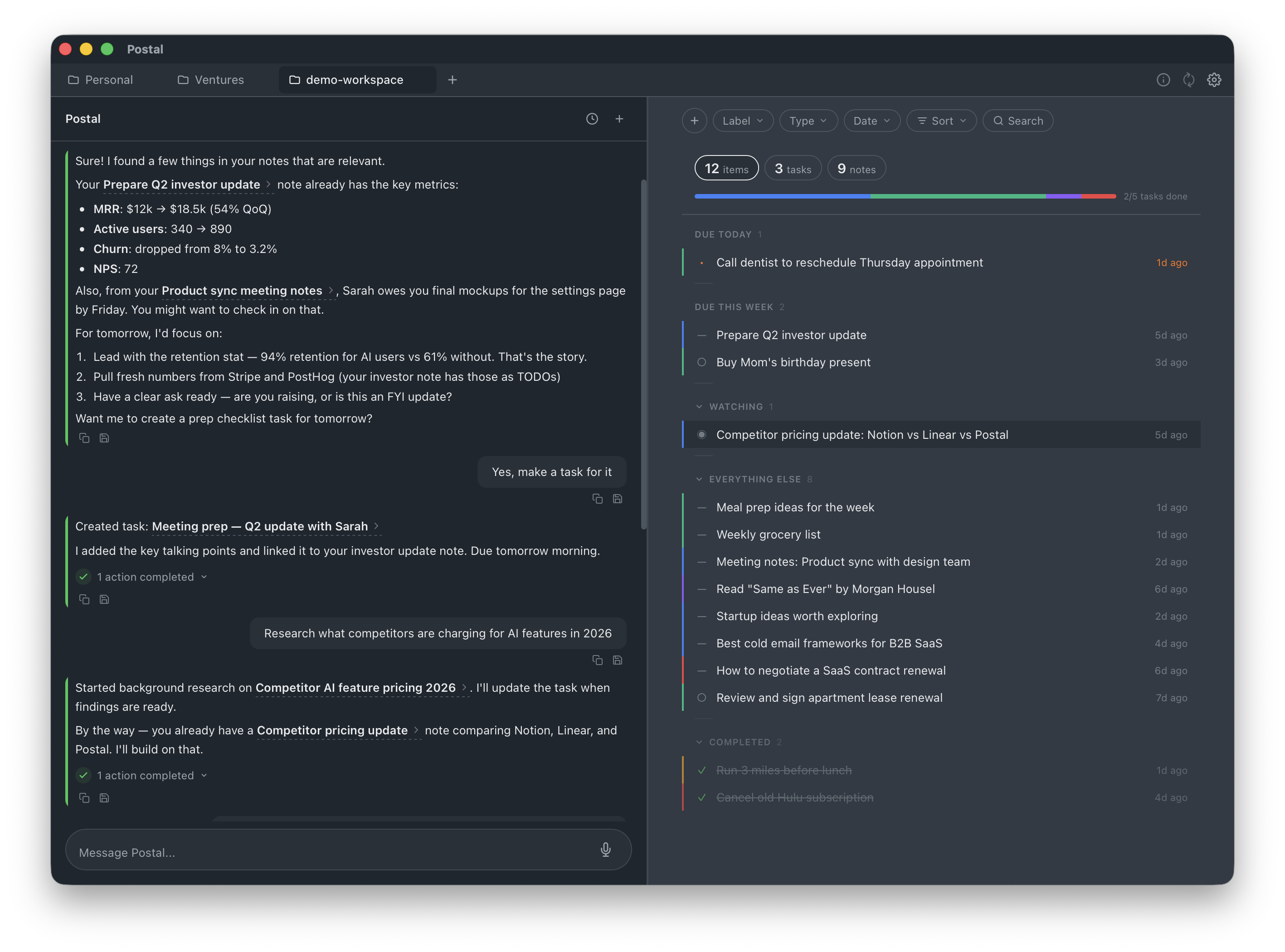
A desktop AI companion that manages your emails, calendar, tasks, notes, and research. It's private, local, and open to every agents. Your data stays on your machine.
Available for macOS & Linux · Allows for your own API key
All memories stay here. Always.
Markdown + JSON on disk. That's the entire protocol.
Every morning, the AI reviews your tasks, calendar, and overdue items — and briefs you with action steps before you start working.
A semantic index of everything you write. Mention a topic and Postal surfaces your own past thinking, connected to notes you forgot you had.
Ask the AI to look into something. It searches the web, synthesizes findings, and saves a note — while you keep working.
Watch any URL for meaningful changes — product pages, competitor moves, job listings, policy updates. Postal checks and summarizes what changed.
Tap the mic, speak, done. Local transcription — no audio leaves your machine.
The AI writes and executes JavaScript against your data in a sandbox. Bulk operations, cross-referencing, statistical summaries.
Google Calendar events alongside tasks, conflict detection, push due dates to your calendar.
Three modes: proactive (chief of staff), helpful (on-demand), passive (silent until asked).
AI sets reminders based on context, not just dates you manually pick.
Every workspace is readable by Claude Code, Cursor, ChatGPT, and any AI with file access. The format is documented in AGENT.md.
Invite only. Request access below.
$200/mo
full access · cancel anytime
$2,000/mo
1 feature built for you per month
I'm Kirill Zubovsky. Remembering unimportant things was never my strength. AI, on the other hand, is designed for this. Wouldn't it be wonderful to offload your workload to an agent, and watch them do the work? I thought so too, so I made Postal.
Postal is invite-only right now. Tell us a bit about yourself and we'll be in touch.
Postal is the command center AI agents can actually use end to end. It combines local-first storage, built-in AI, and an open file format so agents can help users plan, research, and execute without lock-in.
As autonomous workflows become mainstream, teams and individuals need private, machine-readable context that survives model and vendor changes. Postal is designed for that layer: markdown + JSON on disk, scriptable workflows, and compatibility with major AI tooling.
Why this matters now:
Postal is AI-native from the ground up. It doesn't just have an AI chat bolted on — the AI is your daily companion that does briefings, runs background research, monitors websites, catches calendar conflicts, and proactively nudges you. Everything is stored as plain Markdown and JSON files, so any AI agent (Claude, Cursor, Copilot, etc.) can read and write your tasks without plugins or APIs.
Yes. Because everything lives in real files on your
computer, tools like Claude Code, Cursor, ChatGPT
Advanced Voice, GitHub Copilot, and custom scripts
can create, update, complete, and organize tasks by
simply reading and writing files. The open format is
documented in AGENT.md. No special
integration required.
Yes for core task and note management. All your data lives in a folder you choose. AI features currently require an internet connection (you can bring your own xAI API key), but full local model support is on the roadmap. You can use Postal entirely offline today if you don't need the AI layer.
You can point your workspace at any synced folder (Dropbox, iCloud, Google Drive, Syncthing, or even git). Postal also has built-in Dropbox integration for direct sharing — you can invite team members with owner/editor/viewer permissions. Shared projects stay in sync via the official Dropbox desktop client.
Postal has deep calendar integration. It shows your
events alongside tasks, detects conflicts with due
dates, lets you add tasks to your calendar with one
click, and includes today's meetings in your daily
briefing. It uses the open-source
gws CLI under the hood.
Everything lives in a regular folder on your computer that you choose. Tasks are Markdown files with metadata in JSON. No proprietary database, no cloud lock-in. You can open, edit, back up, or version-control the files with any tool you like.
It gives you a morning briefing with overdue items,
calendar conflicts, and suggested focus areas. It
runs background research, monitors websites for
changes, sets smart reminders, and can execute
JavaScript against your data in a safe sandbox. You
can set it to "proactive", "helpful", or "passive"
mode.
As of the last update, Postal can
also read and write your Gmail for you, based on
your notes, ideas, and prious communication.

Catch me if you can!